Tuesday, April 30, 2019

Step 2: Logos

Targets:
- My work is stronger because I use the elements and principles of art/design
- I feel confident creating designs in adobe illustrator
- I honestly experiment with many design choices before choosing my best option
I honestly research examples of graphic design and photography for inspiration

Today you will:
1.  Look closely at your logos, select your 4 BEST LOGOS (they must be logos with your initials and or name) and put them into a new Illustrator Document size 8.5 x 11.

2.  Your 4 Best logos will be placed at the top of the document.  You will build from these logos using:  
Color 
Gradients
Effects
Line Variation
Font Changes
Transparencies and more
4.  You will make 12 new logos during this process.

Don't forget to use color palettes like design seeds and Adobe Color


VIDEOS FOR TEXT WITH COLOR AND GRADIENTS AND USING DESIGN SEEDS!!


    VIDEO #2 = Gradients 
    VIDEO #3 = Drop Shadow & Glow
    VIDEO #4 = 3-D Effect


    VIDEO #5 = CLIPPING MASK


Saturday, April 20, 2019

LOGOS


Target:
I honestly experiment with many design choices before choosing my best option

Today

1.  Begin in illustrator with an 8.5x11in file and call it Logo Contrast.  Make 5 Logos with your initials using the rule of ContrastLimit colors to Black/ White and Grey Scales. Think about your interests and personality when creating.

2.  Open a new file and call it Logo Repetition.  Make 5 more logos using the rule of Repetition.  Limit colors to Black/White and  Grey scales.

3.  If you are really fast you may continue with allignment and then proximity remember we need 5 logos and keep them in blacks/whites/greys.

4.  Place your four docs. into your google slide portfolio - each on their own slide.  Complete 1 write up for this assignment.


Start Logo Assignments by looking HERE
And take a look at this presentation


Text Video GREAT REVIEW #1


Text Video Great Review #2 


Monday, April 15, 2019

Prepare for Grading Period

Prepare for Grading Period Today.

Target:
I feel confident using adobe programs and online tools to make digital art.

TODAY:  WORK ON ALL ILLUSTRATOR VIDEOS.  YOU WILL END UP CREATING A MONSTER! VIDEOS 14-18 WILL HELP

Your Portfolio should be like this one....

Refer to this link for Portfolio Grading if need be


These are the items that should be in your portfolio...
1.  Perspective  and write up (9th hour DOES NOT NEED #1)
2.  Surrealism and Write up
3.  Rule of Thirds - 2 examples and definition
4. Focus - 2 examples and definition
5. Framing - 2 examples and definition
6.  Light and Shadow - 2 examples and definition
8.  Georges and Write up
9.  Photo Editing
10.  Photo Shoot
11.  Digital Painting Progress
12.  Illustrator Practice Exercises

When done with portfolio work on ALL Illustrator Practice Exercise Listed.  #1-6, 11-14, 23.  Directions link here!

Friday, April 12, 2019

ILLUSTRATOR VIDEOS

Friday Schedule:


TARGET FOR ILLUSTRATOR PRACTICE:
I feel confident using adobe programs and online tools to make digital art.

Please go to this the How to Videos tab above or click here and get to know illustrator better by completing 5 ore more tutorials today.  Save your work in a folder called Practice Illustrator.  We will place your work into your portfolio.

Practice Videos to choose from include the following:
1-6, 11-14, 23.

Tuesday, April 9, 2019

Photo Editing


Target for Photo Editing:
- I take many photographs so I can explore a wide range of options to choose from for my final project.
 - I feel confident in my ability to choose my strongest photographs.
 - I honestly experiment with many design choices before choosing my best option.


PHOTO EDITING
Pick one of your photos and edit it 7 different ways showing me...
 - Original Photo
 - Black and white - masking in some color
 - High Contrast
 - Low Contrast
 - Enhanced Color
 - Experimental (2)
 - Extreme Crop (On one of the above)

Here is a video in case you missed it...

Below you will see my edited photographs slide in my portfolio (please make sure to also have Experimentals and Extreme Crop included in yours)

Friday, April 5, 2019

Looking to Move ahead??....

.....Open Adobe Illustrator and try these tutorials!!
Target
I feel confident using adobe programs and online tools to make digital art.

 Work on creating a  DETAILED monster in Adobe Illustrator:
File Size on Illustrator is 8x8in. 

Detailed Means:  Think eyebrows, eye lashes, pupils, horns, nails, moles, claws, accessories like shoes, earings, jewelery, buttons on clothing, what is monster holding?  Etc.
SAVE YOUR WORK AS:
yourlastname_monster


REFER TO THESE VIDEOS AS A REMINDER HOW TO CREATE ON ILLUSTRATOR

  MAKE A:
Rectangle
Square
Edit Fill and Stroke appearance 


Illustrator Basics Tutorial

 MAKE A:
Rounded Rectangle 
Circle/elipse
Star
Polygon
Triangle


Illustrator Basics More Shapes


Use the shape builder tool to melt shapes together or subtract areas of overlap. Make the following shapes:
Almond Eye Shape
Crescent Moon Shape
Cloud Shape


Illustrator Basics: Shape Builder Tool


Use the direct selection tool to alter the anchor points on a circle. Make the following shapes:

Egg Shape
Heart Shape
Drop of water


Illustrator Basics (Direct Selection tool to alter Shapes)

Wednesday, April 3, 2019

Google Photos App

Schedule for Friday...


1.  Finish Up Georges: Turn in as lastname_georges 
MUST BE A JPEG

2.  Write up for Surreal and Georges
-2 Tools
-2 Elements or Principles
- 2 Feeings - tell me something that was difficult for you.

3.  Digital Painting

4.  Photoshoot due FRIDAY!!  Must be in the google photos app

5.  OPTIONAL PROJECT: Lundahl Poster

Target:  

My work communicates an idea to an audience because I have made good choices with the elements and principles.


Create a poster for Lundahl School for the 8th Grade Dance that says, 'See you at the Swamp'.
Size 11x17 200 res.  Must include the Gator Logo.
Example Poster:


Tuesday, April 2, 2019

Welcome Back From Spring Break

Georges/Photo....

Targets for Georges:
Through close analyzation students can design a portrait in the style of Geraldine Georges using Adobe programs.
 - Limited Color Palette
 - Neatness
 - Does your work resemble something Georges would do?
 - Interesting Negative Space
 - Repetition

Photo Assignment:  Photos Due by Friday
Targets For Photos:
-  I feel confident using digital cameras.
-  I feel confident using digital tools to compose and edit photographs.


Scavenger Hunt
Take 2 images of the same thing for each prompt.

THIS IS DUE MONDAY MARCH 18

  1. Something close
  2. Something far
  3. Looking up
  4. Image result for photo looking up
  5. Looking down
  6. Extreme Zoom
  7. Natural thing 
  8. Manmade thing
  9. Shadows
  10. Face
  11. Lines
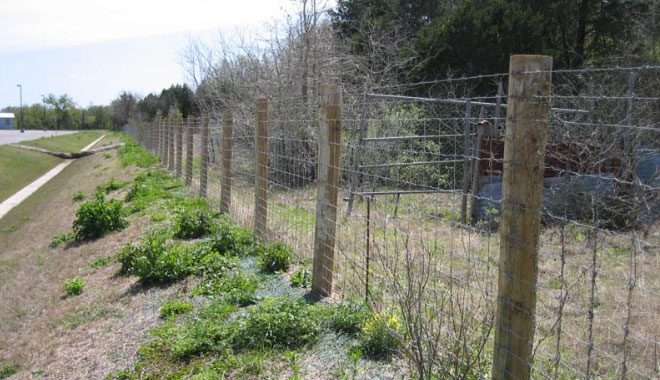
  12. Image result for photo of fence

12. some thing warm or cold
Image result for photograph of something cold

13.Something important to you