Sunday, March 17, 2019

Geraldine Georges cont.


GEORGES WEBSITE

Step 1 Masking the Face
aka - cutting out the face


Background Spots Video

Shape tool for background


Quick Selection Tool

Pen Pressure Tool LOVE THIS!!!!!


Wednesday, March 13, 2019

Photography


Targets:
- feel confident using digital cameras.
- I feel confident using digital tools to compose and edit photographs


PHOTO UNIT!!!!!!!!

MAKE A SLIDE FOR EACH
1. Rule of Thirds - Definition and 2 Images watch this!!!
2. Focus - Definition and  2 Images
3. Framing - Definition and 2 Images
4. Light and Shadow - Definition and  2 Images

*Helpful hint.  Google Rule of Thirds in photography to find definition and image.

Sample Slide
Scavenger Hunt
Take 2 images of the same thing for each prompt.

THIS IS DUE MONDAY MARCH 18
  1. Something close
  2. Something far
  3. Looking up
  4. Image result for photo looking up
  5. Looking down
  6. Extreme Zoom
  7. Natural thing 
  8. Manmade thing
  9. Shadows
  10. Face
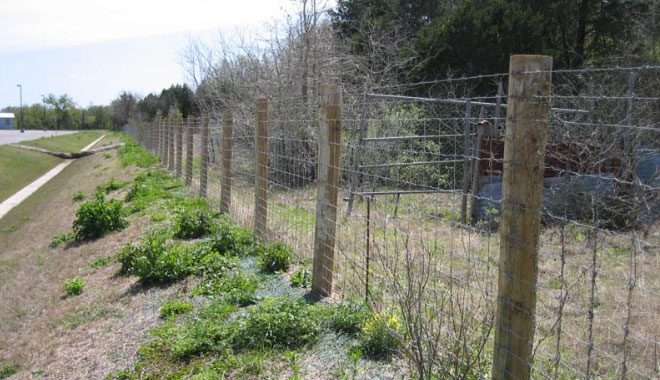
  11. Lines
  12. Image result for photo of fence

12. some thing warm or cold
Image result for photograph of something cold
13.Something important to you

DUE MONDAY MARCH 18.
DON'T DELETE ANY OF THEM!!!
ANYONE NEED A CAMERA??

NOTE:
If you have a smart phone that you will use to take pics you should download the following apps

Google Drive- sign in as your d155 identity. Upload your pics from your phone to Drive and they are ready at school.


Google Photos- sign in as your d155 identity

*important to use this if you have no room on your phone!!!


Monday, March 11, 2019

Geraldine Georges

Click on the image below 
Geraldine Georges


FlipGrid

Target
Through close analyzation students can design a portrait in the style of Geraldine Georges using Adobe programs.


Image result for quotes about copying art1. Students collaborate with others using Flip Grid in order to analyze a work of art and identify how the elements of art and principles of design are used.
2. Student will observe portraits online or take one of their own that they imagine would work well for creating their own portrait in the style of Georges.


Image result for celebrity wearing hat  Image result for michael jordan in hat
Explain why these are poor photos to use? 

Steps:
1. Using Photoshop, create a file that is 8x10 or 10x8 200 resolution. Make sure you are in RGB mode.
2. Place embedded photo into your work and make a copy of that layer so you now have 2 portrait layers.
3. Review Georges Page and how she creates a back ground, That is what we will be doing first.
View the first 2 videos below for background steps.


Step 1 Masking the Face
aka - cutting out the face


Background Spots Video

Shape tool for background


Quick Selection Tool

Pen Pressure Tool LOVE THIS!!!!!